How this page is funded: some links here are affiliate links, and Mesh & Signal earns a commission if you buy through them. It costs you nothing extra, it never changes which product we rank first, and we do not publish a price we have not verified. Full disclosure.
For most houses the tri-band system to buy is the TP-Link Deco BE63: tri-band Wi-Fi 7, 2.5 Gbps ports on every unit, and no subscription attached to the security features. The budget pick is the Deco XE75 Pro — Wi-Fi 6E instead of Wi-Fi 7, but a genuine third radio and multi-gig ports, which is the least you can spend and still get the thing this page is about. If you want the smoothest software and a smart-home hub in the box, the eero Pro 7 is the one to pay more for.
What the third radio is for
In a wireless mesh, the satellite has two conversations: one with your laptop, one with the router unit. On a dual-band system both happen on the same two radios, so the satellite spends half its airtime relaying and your device gets roughly half the throughput it would get standing next to the router. Our backhaul explainer covers the mechanism in detail.
A tri-band system adds a third radio — on current hardware, a 6 GHz one — so the node-to-node conversation can happen somewhere your devices are not. That is the entire value proposition, and it is why the price gap between dual-band and tri-band is as large as it is. Tri-band versus dual-band mesh is the full argument, including the cases where it does not matter.
Worth knowing
Wired backhaul beats any third radio
If you can run Ethernet between the nodes, a dual-band system with a wired backhaul outperforms a tri-band system on wireless backhaul, and costs less. See Ethernet backhaul for mesh. Buy tri-band because you cannot wire the house, not because tri-band is the better engineering in the abstract.
What we ranked on
Backhaul headroom. How much capacity the third radio actually has, and — the part the marketing hides — whether it is reserved for backhaul or shared with your devices.
Coverage per unit. The manufacturer's own square-footage figure, read per unit rather than per box, since pack sizes differ.
Ports. Multi-gig WAN and, separately, multi-gig LAN. A 2.5 Gbps WAN port behind Gigabit LAN ports is a common and disappointing configuration.
Value. What the premium buys against the dual-band systems on our budget page, and whether any of it is behind a subscription.
Not every tri-band system reserves the third radio
System
Bands
Dedicated backhaul band
Fastest LAN port
TP-Link Deco BE63
Tri-band Wi-Fi 7
No — shared, MLO across bands
2.5 Gbps
eero Pro 7
Tri-band Wi-Fi 7
No — shared
Multi-gig
Netgear Orbi 770
Tri-band Wi-Fi 7, BE11000
No — KitGuru notes the 970 Series has one and the 770 does not
2.5 Gbps
ASUS ZenWiFi BT6
Tri-band Wi-Fi 7, BE9400
No — Smart AiMesh aggregates or switches bands
1 Gbps
TP-Link Deco XE75 Pro
Tri-band Wi-Fi 6E
No — shared
2.5 Gbps
Published band configurations. Manufacturer figures and named reviews; see Sources.
Scroll the table sideways to see every column.
This is the most useful thing on the page, so it is worth stating plainly: almost no current tri-band mesh locks the third radio away for backhaul the way the 2019-era systems did. Modern systems use Multi-Link Operation or a vendor equivalent to spread traffic across the available radios and move backhaul to whichever has room. In practice that works well — better than a fixed reservation when the house is quiet — but it does mean "tri-band" is a statement about capacity, not a guarantee that your devices never share with the backhaul.
The exception in the registry is the quad-band tier: the Netgear Orbi 970 and ASUS ZenWiFi BQ16 Pro both add a second 6 GHz radio so one of them can be given to the mesh outright. That is the real version of the promise, and it costs accordingly.
What to buy
Most houses, 2,500-4,000 sq ft, cannot run Ethernet: the Deco BE63.
You want to never think about it again: the eero Pro 7.
5,000 sq ft and up: the Orbi 770 as a three-pack, or step up to the quad-band 970 if the budget allows.
Allergic to subscriptions: the ZenWiFi BT6, accepting Gigabit LAN ports.
Cheapest genuine third radio: the Deco XE75 Pro.
If the argument above lands the other way — your plan is a gigabit or slower, or you can run one cable — then the best dual-band mesh systems is the other half of this field, and it is a cheaper shortlist for the same house.
How we picked
We do not run a test lab. Rankings here are built from the manufacturers' published specifications, measurements taken by independent outlets that do have labs, and the structural reasoning on this site about what a given house or job actually needs. Every product was checked as currently sold before it was included. Where a figure appears it is attributed and linked in Sources; where we have no basis for a claim, it is left out. Our methodology sets out exactly what we will and will not assert.
Quick picks
Ranked by our published scoring rubric (backhaul headroom, coverage per unit, ports, value). Tap any row to jump to the full write-up, or go straight to the retailer from the right-hand column. How we score.
#
Product
Best for
Score
Price
1
TP-Link Deco BE63Tri-band Wi-Fi 7 with 2.5 Gbps ports on every unit and no subscription for the security features. The cheapest point on this page where nothing important is missing.
eero Pro 7Tri-band Wi-Fi 7 with a genuinely painless app and a smart-home radio built in. You pay for the software and the support, and for many households that is the right thing to pay for.
Netgear Orbi 770Netgear publishes up to 8,000 sq ft as a three-pack with simultaneous tri-band across 6, 5 and 2.4 GHz. KitGuru's review notes there is no band reserved purely for backhaul, unlike the 970 Series.
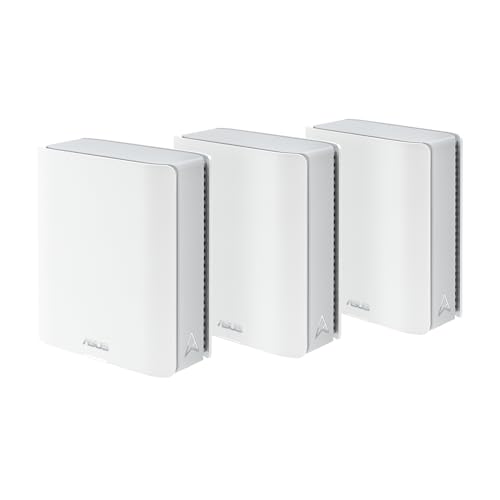
ASUS ZenWiFi BT6 (3-pack)Tri-band Wi-Fi 7 at BE9400 with AiProtection, parental controls and WireGuard included forever. The compromise is the LAN side: ASUS's own specs give one 2.5G WAN and three Gigabit LAN ports per unit.
TP-Link Deco XE75 ProTri-band Wi-Fi 6E rather than Wi-Fi 7, with 2.5 Gbps ports. The budget pick: it is the least you can spend and still get a dedicated 6 GHz radio for the mesh to talk over.
Prices as of November 13, 2026, read from each product's own Amazon listing; Amazon prices change often. Scroll the table sideways on a narrow screen. Scores are our editorial assessment from published specifications and independent testing by named outlets — not our own lab results. What we do and do not test.
The picks in full
#1 · The tri-band system most houses should buy
TP-Link Deco BE63
TP-Link · Midrange
The value pick in Wi-Fi 7 mesh: tri-band coverage for a large house at a price the premium systems cannot match.
Key specifications
Standard
Wi-Fi 7, tri-band
Coverage
Up to about 7,600 sq ft as a three-pack
Devices
200+
Also sold as
Deco 7 Pro BE10000 on TP-Link's US site
Score 9.0/10
Backhaul headroom9.0
Coverage per unit8.5
Ports9.0
Value9.5
What it gets right
+The coverage-per-dollar leader in Wi-Fi 7 mesh right now
+Tri-band, so the nodes get a dedicated lane and you do not lose half your speed at the far node
+TP-Link sells the same hardware under two names, which often means one of the two listings is cheaper
What to watch for
−The two-name situation makes comparison shopping genuinely confusing — check the model number on the box
−App is capable but busier than eero's
−Coverage claims assume open-plan space; brick and plaster cut it down hard
#ad Price as of November 13, 2026; Amazon prices change often. How we are funded.
Common questions
What is the best tri-band mesh Wi-Fi system?+−
The TP-Link Deco BE63 for most houses: tri-band Wi-Fi 7, 2.5 Gbps ports on every unit, and no subscription for its security features. Pay more for the eero Pro 7 if you want the easiest software and a smart-home radio built in, step up to the Netgear Orbi 770 for a house over 5,000 sq ft, and drop to the Deco XE75 Pro if you want the cheapest system that still has a real third radio.
Is tri-band mesh worth the extra money?+−
It is worth it when the nodes have to talk to each other wirelessly and you have a fast internet plan — which describes most multi-floor houses. It is not worth it if you can run Ethernet between the nodes, because a wired dual-band system beats a wireless tri-band one for less money, and it is not worth it on a 200 Mbps plan in a small home, where even a dual-band mesh has more capacity than your connection.
Does tri-band mean one band is reserved for backhaul?+−
Not on current hardware, in most cases. Systems such as the Deco BE63, eero Pro 7, Orbi 770 and ZenWiFi BT6 use Multi-Link Operation or a vendor equivalent to move backhaul traffic across whichever radios have capacity, rather than fencing one off. Only the quad-band systems — the Orbi 970 and the ZenWiFi BQ16 Pro — add a second 6 GHz radio specifically so one can be given to the mesh.
How many tri-band nodes do I need?+−
Two for most homes up to roughly 3,000 sq ft, three above that or across three floors. More nodes is not automatically better on a wireless mesh: each extra hop costs throughput, and a node placed too far out joins at a weak rate and drags the whole segment down. How many mesh nodes you need works through the placement maths.