An extender is a one-room tool. In a big house that is still often the right purchase — as long as you know which room, and know the number at which extenders stop making sense.
How this page is funded: some links here are affiliate links, and Mesh & Signal earns a commission if you buy through them. It costs you nothing extra, it never changes which product we rank first, and we do not publish a price we have not verified. Full disclosure.
For a large house, buy the Netgear Nighthawk EAX80 if the far end has devices you can wire into it, and the TP-Link RE715X if you just need one distant room to work. What no extender will do is cover a big house on its own. An extender adds one radio in one place, and the honest planning question is which single room it is for — not how many square feet it claims on the box.
The halving nobody prints on the box
A single-radio extender receives on the same band it retransmits on, so every packet crosses the air twice and the throughput available to your device is roughly halved before distance is counted. Dual-band and tri-band units reduce that by dedicating a band to the link back to the router, which is why the units on this page are not the cheapest ones on the shelf.
That halving is also what makes the placement rule absolute: the extender must sit where it still receives a strong signal, which is mid-way, not in the problem room. Half of a strong signal is useful. Half of a weak one is not. Full detail is in do Wi-Fi extenders slow down your internet.
How far apart they can actually sit
Router to extender
What the extender receives
Verdict
One room, line of sight
Near-full signal
Wasted — move it further out
Two rooms or one floor
Strong
The sweet spot
Three rooms or two floors
Marginal
Works, but expect a third of the plan
Opposite end of a large house
Weak
Do not — wire it or use MoCA
Working distances in a typical wood-framed house. Concrete or plaster shortens all of these.
Scroll the table sideways to see every column.
The square footage where extenders stop making sense
One extender handles one room beyond the router's reach. Two extenders, each fed from the router, can handle two — but they do not chain, and daisy-chaining one off the other halves the throughput again. In practice that puts the ceiling at roughly 3,000 sq ft, or any house where the far end needs more than two added radios.
Past that line the extender model is the wrong shape and no amount of money inside it helps. The two purchases that do work are a mesh system sized for the footprint — best mesh Wi-Fi for a large home — or a wired access point per zone, which is what the EAP773 on this page is doing in a list of extenders. Deciding between those two is extender versus access point.
Try this first
In a large house, wire the extender's uplink if you can
Every unit here except the pure-radio case works better with a cable or a MoCA link feeding it. An extender on a wired uplink stops being an extender in the bad sense — it becomes an access point, with none of the halving and all of the coverage. If your house has coax in the far rooms, that is the upgrade.
What to check before you buy
Band count. Dual-band minimum. A single-band unit in a large house is money wasted.
An Ethernet port. It lets the extender feed a TV, a console or a desk directly, and it lets you wire the extender itself later.
Roaming support. EasyMesh, OneMesh or a vendor-matched extender keeps one network name so devices hand over instead of holding on to the far router.
Whether your router has a matching extender. Same-vendor pairs almost always roam better than a mixed pair.
We do not run a test lab. Rankings here are built from the manufacturers' published specifications, measurements taken by independent outlets that do have labs, and the structural reasoning on this site about what a given house or job actually needs. Every product was checked as currently sold before it was included. Where a figure appears it is attributed and linked in Sources; where we have no basis for a claim, it is left out. Our methodology sets out exactly what we will and will not assert.
Quick picks
Ranked by our published scoring rubric (throughput kept, placement latitude, wired option, value). Tap any row to jump to the full write-up, or go straight to the retailer from the right-hand column. How we score.
#
Product
Best for
Score
Price
1
Netgear Nighthawk EAX80The largest extender here, with four Gigabit Ethernet ports so the far room can be wired rather than re-broadcast. In a large house the ports are the point: put the EAX80 mid-way, wire the TV and the desk into it, and leave the radio to handle phones.
TP-Link RE715XAX3000 with a claimed 2,400 sq ft of added coverage, a Gigabit port and EasyMesh roaming so your phone hands over instead of clinging. The default recommendation for a single far room in a house that is otherwise fine.
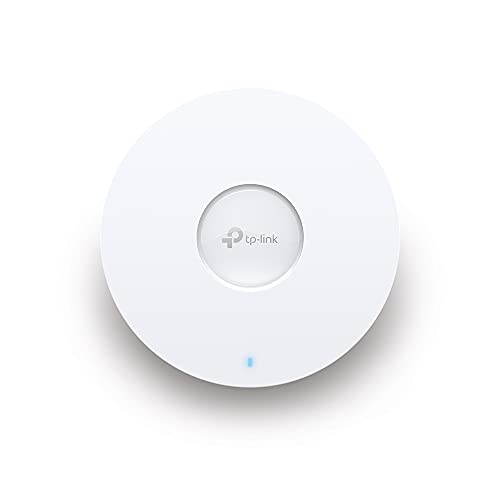
TP-Link Omada EAP773Not an extender — a Wi-Fi 7 access point on a 10 GbE uplink. Above about 3,000 sq ft, or past two extenders, this is the purchase that actually ends the problem, because it is fed by a cable instead of by the signal you were short of.
TRENDnet TMO-313C2KA MoCA pair that turns existing TV coax into a 2.5 Gbps link, so an extender or access point at the far end of a long house gets a real feed. In a big house with coax in every room this is frequently the cheapest route to a result that does not degrade.
Prices as of October 17, 2026, read from each product's own Amazon listing; Amazon prices change often. Scroll the table sideways on a narrow screen. Scores are our editorial assessment from published specifications and independent testing by named outlets — not our own lab results. What we do and do not test.
The picks in full
#1 · A big house with one far wing
Netgear Nighthawk EAX80
Netgear · Premium
The extender for a room full of wired gear: four gigabit Ethernet ports and a USB port on a Wi-Fi 6 radio.
Key specifications
Standard
Wi-Fi 6
Ports
4 Gigabit Ethernet
Other
USB 3.0 for network storage
Score 8.3/10
Throughput kept8.5
Placement latitude7.5
Wired option9.5
Value7.0
What it gets right
+Four Ethernet ports turns one weak room into a properly wired room
+Desktop form factor means better antennas than a wall-wart extender
What to watch for
−Large, and needs a shelf and a power outlet
−At this price a budget mesh system is a straight competitor
#ad Price as of October 17, 2026; Amazon prices change often. How we are funded.
#2 · The best result per dollar at distance
TP-Link RE715X
TP-Link · Midrange
The extender to buy if you are buying an extender: AX3000 speeds, a gigabit Ethernet port, and EasyMesh so it behaves like a node rather than a second network.
Key specifications
Standard
Wi-Fi 6, AX3000
Coverage claim
About 2,400 sq ft
Ports
1 Gigabit Ethernet
Roaming
EasyMesh compatible
Score 8.4/10
Throughput kept8.0
Placement latitude8.5
Wired option7.5
Value9.0
What it gets right
+EasyMesh support means one network name and real handoff, instead of a second SSID you have to switch to manually
+The gigabit port turns it into an access point if you can run a cable to it
+AX3000 leaves enough headroom that the halved wireless throughput is still usable
What to watch for
−EasyMesh only works if your router supports it — check before you buy
−Wireless mode still splits its radio between router and device
−Costs enough that a budget mesh three-pack becomes a fair comparison
#ad Price as of October 17, 2026; Amazon prices change often. How we are funded.
#4 · A far wing with coax but no cable path
TRENDnet TMO-313C2K
TRENDnet · Midrange
A two-adapter Ethernet-over-coax kit with a 2.5 Gbps port on each end — if the rooms you care about already have coax, this beats every wireless answer.
Key specifications
Technology
Ethernet over coax, F-type MoCA coax input
Throughput class
2.5 Gbps RJ-45 LAN port per adapter
Packaging
Two adapters — a complete point-to-point kit
Requires
Existing coax in both rooms
Score 8.5/10
Throughput kept9.5
Placement latitude7.0
Wired option10.0
Value8.5
What it gets right
+Coax is shielded, so unlike powerline it does not care how old or noisy your wiring is
+Turns a disused cable TV outlet into a 2.5 Gbps Ethernet port
+Ships as a pair, so there is nothing further to buy to make the link work
+The cleanest way to wire mesh backhaul in a house you cannot drill
What to watch for
−You need coax in both rooms, on the same splitter tree
−Usually needs a MoCA filter at the point of entry to keep the signal inside the house
−A third room means another kit — this pack has no single-adapter add-on
#ad Price as of October 17, 2026; Amazon prices change often. How we are funded.
Common questions
Can a Wi-Fi extender cover a large house?+−
Not on its own. An extender adds one radio in one place, so it fixes one room or one wing. Two extenders fed directly from the router is the practical maximum, which works out to roughly 3,000 sq ft. Beyond that a mesh system or wired access points is the right purchase.
Where should an extender go in a big house?+−
Mid-way between the router and the problem room, where it still receives a strong signal — never in the problem room itself. An extender can only rebroadcast what it receives, so placing it at the edge of coverage produces strong bars on a weak connection.
Can I use two extenders in one house?+−
Yes, as long as each one connects back to the router directly rather than to the other. Chaining a second extender off the first halves the throughput a second time and adds latency. If you need two, you are usually better off with mesh.
Is a mesh system better than extenders for a large house?+−
For whole-house coverage, yes: mesh keeps one network name, hands devices over cleanly, and most systems can use a wired or dedicated backhaul band so the halving does not apply. Extenders win on price when the problem is one room rather than the whole footprint.