The halving is real and it is not the whole story. What slows down, what does not, and the two decisions that turn a bad extender install into a good one.
How this page is funded: some links here are affiliate links, and Mesh & Signal earns a commission if you buy through them. It costs you nothing extra, it never changes which product we rank first, and we do not publish a price we have not verified. Full disclosure.
Yes — a traditional Wi-Fi extender roughly halves the speed available to devices connected through it, and it does not slow down the rest of your network. Your laptop next to the router is unaffected. The phone in the back bedroom talking to the extender is the one paying, and whether that is a problem depends entirely on what it was getting before.
Where the halving comes from
A single-radio extender has to receive a packet from the router and then transmit the same packet to your device, on the same band, using the same airtime. Every byte therefore crosses the air twice. Airtime is the constrained resource in Wi-Fi, not bandwidth, so using it twice leaves roughly half of it for actual data.
That is the mechanism, and it has two useful consequences. First, it is a ceiling, not a tax on your connection — a 500 Mbps signal reaching the extender becomes about 250 Mbps at your device, which is fine. Second, the arithmetic is brutal at the edge of coverage: a 60 Mbps signal reaching the extender becomes about 30 Mbps, which is not.
Signal arriving at the extender
Single-band extender
Dual-band or EasyMesh
Wired uplink
Strong (most of your plan)
About half
Most of it
All of it
Moderate (half your plan)
About a quarter
About half
All of it
Weak (a fifth of your plan)
Barely usable
Poor
All of it
What a device connected through the extender actually sees.
Scroll the table sideways to see every column.
The two decisions that fix most of it
Buy dual-band or better. A dual-band extender can receive on one band and transmit on another, so the two hops are no longer competing for the same airtime. This alone recovers most of the loss and is why nothing single-band appears on this site's recommendations.
Put it mid-way, not in the problem room. The extender can only ever rebroadcast what it receives. Placed where the signal is still strong, half of a lot is plenty; placed in the dead zone you were trying to fix, it produces full bars on a connection that is still bad — which is worse than no extender, because now you cannot tell. Wi-Fi extender not working is the troubleshooting path when this has already happened.
Try this first
Wire the extender's uplink and the question disappears
Any extender with an Ethernet port can be fed by a cable, a powerline link or a MoCA pair instead of by the air. At that point it is functionally an access point: nothing is rebroadcast, nothing is halved, and the far room runs at full speed. This is the single best upgrade available to anyone who already owns an extender.
What does not slow down
Devices connected to the router directly. They are on a different link and are unaffected.
Your internet plan. An extender changes nothing upstream of your router.
Anything plugged into the extender's Ethernet port. That hop is wired on your side, so only the extender's uplink quality matters.
There is one honest exception. An extender broadcasting on a congested channel adds another talker to an already crowded band, and in a dense apartment building that can make things marginally worse for everyone including you — Wi-Fi interference from neighbors and devices covers when that is a real risk.
What to look for if you still want an extender
Dual-band at minimum, and a dedicated backhaul band if the budget allows.
An Ethernet port, so the far end can be wired later or feed a TV or console now.
EasyMesh, OneMesh or a same-brand pairing, so devices hand over instead of clinging to the weak original signal.
A realistic look at whether this is a one-room problem. If two or three rooms are bad, an extender is the wrong shape — mesh versus extender sizes it properly.
How we picked
We do not run a test lab. Rankings here are built from the manufacturers' published specifications, measurements taken by independent outlets that do have labs, and the structural reasoning on this site about what a given house or job actually needs. Every product was checked as currently sold before it was included. Where a figure appears it is attributed and linked in Sources; where we have no basis for a claim, it is left out. Our methodology sets out exactly what we will and will not assert.
Quick picks
Ranked by our published scoring rubric (speed kept, roaming, ports, value). Tap any row to jump to the full write-up, or go straight to the retailer from the right-hand column. How we score.
#
Product
Best for
Score
Price
1
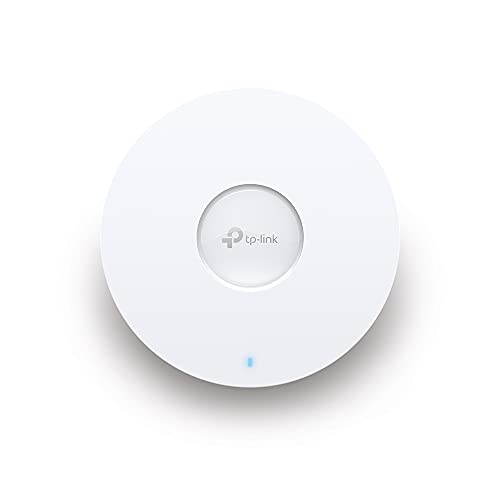
TP-Link RE715XAX3000 dual-band with a Gigabit port and EasyMesh roaming. The dual-band design is what keeps the halving off your devices, and the Ethernet port lets you wire the one thing in the room that cares most.
Netgear Nighthawk EAX80Four Gigabit Ethernet ports, which is the real answer to this question: anything plugged into the extender gets a wired link and skips the airtime penalty entirely.
TP-Link Omada EAP610An access point on a cable is the version of an extender with no penalty: its uplink is Ethernet, so nothing is rebroadcast and nothing is halved. If you can run one cable, this ends the question rather than optimizing it.
Prices as of October 17, 2026, read from each product's own Amazon listing; Amazon prices change often. Scroll the table sideways on a narrow screen. Scores are our editorial assessment from published specifications and independent testing by named outlets — not our own lab results. What we do and do not test.
The picks in full
#1 · The least speed lost for the money
TP-Link RE715X
TP-Link · Midrange
The extender to buy if you are buying an extender: AX3000 speeds, a gigabit Ethernet port, and EasyMesh so it behaves like a node rather than a second network.
Key specifications
Standard
Wi-Fi 6, AX3000
Coverage claim
About 2,400 sq ft
Ports
1 Gigabit Ethernet
Roaming
EasyMesh compatible
Score 8.5/10
Speed kept8.5
Roaming8.5
Ports8.0
Value9.0
What it gets right
+EasyMesh support means one network name and real handoff, instead of a second SSID you have to switch to manually
+The gigabit port turns it into an access point if you can run a cable to it
+AX3000 leaves enough headroom that the halved wireless throughput is still usable
What to watch for
−EasyMesh only works if your router supports it — check before you buy
−Wireless mode still splits its radio between router and device
−Costs enough that a budget mesh three-pack becomes a fair comparison
#ad Price as of October 17, 2026; Amazon prices change often. How we are funded.
Common questions
Do Wi-Fi extenders slow down your internet speed?+−
They halve the speed for devices connected through them, because a single-radio extender uses the same airtime to receive and retransmit every packet. Devices connected to the router directly are not affected, and your internet plan itself is unchanged.
Do dual-band extenders avoid the slowdown?+−
They avoid most of it. A dual-band or tri-band extender can receive on one band and transmit on another, so the two hops stop competing for the same airtime. Expect to keep most of the speed that reaches the extender rather than half of it.
Does an extender slow down the main router?+−
Not directly. The router serves the extender like any other client. The only indirect effect is channel congestion: an extra transmitter on a busy band uses airtime that everyone on that channel shares, which can be noticeable in a crowded apartment building.
Do extenders get slower over time?+−
The hardware does not degrade, but the conditions around it do — neighbors add networks, your household adds devices, and furniture moves. If an extender that used to work has got worse, re-check the channel and the placement before replacing it.