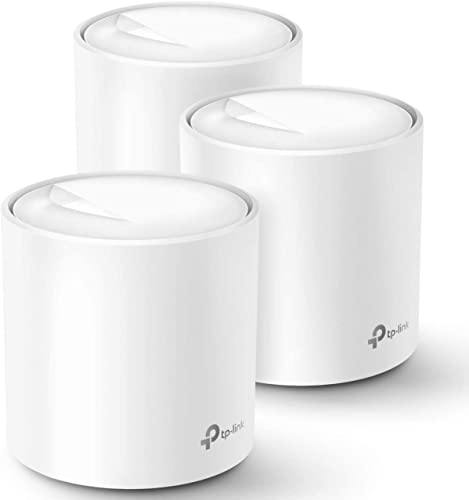
How this page is funded: some links here are affiliate links, and Mesh & Signal earns a commission if you buy through them. It costs you nothing extra, it never changes which product we rank first, and we do not publish a price we have not verified. Full disclosure.
Buy the TP-Link Deco BE63 if the budget allows: tri-band Wi-Fi 7, up to about 7,600 sq ft as a three-pack, 200-plus devices, and TP-Link's HomeShield security features without a subscription attached. The budget pick is the Deco X20 — Wi-Fi 6 at AX1800 and up to about 5,800 sq ft — which is the cheapest Deco worth owning and plenty for an ordinary house on a modest plan. Between those two there is a genuine value sweet spot: the Deco XE75 Pro, which is the cheapest Deco with a band reserved for the mesh backhaul.
How to read a Deco model name
The range is large enough that the names are the main obstacle. Three rules get you most of the way:
The letters are the generation. X is Wi-Fi 6, XE is Wi-Fi 6E (so it has a 6 GHz band), BE is Wi-Fi 7.
The number is position in the range, not speed. A Deco BE25 and a Deco BE63 are both Wi-Fi 7, and the gap between them is bands and ports rather than generation.
"Pro" usually means more radios or faster ports. The XE75 Pro adds 2.5 Gbps ports over the plain XE75, which is the whole reason to pay the difference.
One more complication worth knowing: TP-Link sells some of the same hardware under a second name in the US. The BE63 appears on TP-Link's own US site as the Deco 7 Pro BE10000. If you are price-comparing and the names do not line up, that is usually why rather than a different product.
What we ranked on
Coverage per dollar. TP-Link's own published square-footage figure against what the pack costs, which is the metric Deco wins on across the range.
Backhaul headroom. Whether the system has a third radio for the nodes to talk over, or whether the mesh shares the air with your devices.
Ports. Multi-gig versus Gigabit, and how many per unit. The BE25 and XE75 Pro both carry 2.5 Gbps ports; the X20 and X55 do not.
Value. What you actually use, at the plan speeds people actually buy.
The five systems, side by side
System
Wi-Fi
Bands
Published coverage
Deco BE63
Wi-Fi 7
Tri-band
Up to ~7,600 sq ft, three-pack
Deco XE75 Pro
Wi-Fi 6E
Tri-band, dedicated backhaul band
Up to ~5,500 sq ft, two-pack
Deco BE25
Wi-Fi 7, BE5000
Dual-band, 4,324 + 688 Mbps
Up to 6,600 sq ft whole-home
Deco X55
Wi-Fi 6, AX3000
Dual-band
Up to ~6,500 sq ft, three-pack
Deco X20
Wi-Fi 6, AX1800
Dual-band
Up to ~5,800 sq ft
TP-Link's own published specifications; see Sources. Coverage is the manufacturer's figure for the stated pack size.
Scroll the table sideways to see every column.
Those coverage figures are manufacturer numbers measured in favorable conditions, and they are the reason Deco looks so strong on paper. Treat them as a ranking between TP-Link's own models rather than as a promise about your house: a 5,800 sq ft rating does not survive two brick interior walls, which is what brick and concrete walls is about.
Worth knowing
Deco will not join an existing router wirelessly
TP-Link is explicit about this: if you want to keep an ISP box in place, the main Deco unit has to be wired to it, and a modem-router should be put in bridge mode to avoid double NAT. There is no mode where a Deco extends an existing network over Wi-Fi. Using mesh with an existing router walks through the supported arrangements.
Which Deco for which house
Large house, multi-gig or gigabit plan, want it to last: Deco BE63.
Normal house, gigabit plan, wireless nodes: Deco XE75 Pro — the dedicated backhaul lane is worth more than the Wi-Fi 7 badge.
Want Wi-Fi 7 cheaply and can wire a node or two: Deco BE25 and its 2.5 Gbps ports.
Big house, plan under 500 Mbps: Deco X55.
Smallest sensible spend: Deco X20.
How we picked
We do not run a test lab. Rankings here are built from the manufacturers' published specifications, measurements taken by independent outlets that do have labs, and the structural reasoning on this site about what a given house or job actually needs. Every product was checked as currently sold before it was included. Where a figure appears it is attributed and linked in Sources; where we have no basis for a claim, it is left out. Our methodology sets out exactly what we will and will not assert.
Quick picks
Ranked by our published scoring rubric (coverage per dollar, backhaul headroom, ports, value). Tap any row to jump to the full write-up, or go straight to the retailer from the right-hand column. How we score.
#
Product
Best for
Score
Price
1
TP-Link Deco BE63Tri-band Wi-Fi 7, up to about 7,600 sq ft as a three-pack, 200+ devices and no subscription on the security features. Sold as the Deco 7 Pro BE10000 on TP-Link's own US site.
TP-Link Deco XE75 ProTri-band Wi-Fi 6E with a band reserved between the nodes and up to about 5,500 sq ft as a two-pack. The value sweet spot for any house that is not on a multi-gig plan.
TP-Link Deco BE25Dual-band Wi-Fi 7 at BE5000 — 4,324 Mbps on 5 GHz and 688 Mbps on 2.4 — with two 2.5 Gbps ports per unit and optional Ethernet backhaul. TP-Link publishes 6,600 sq ft whole-home.
TP-Link Deco X55Wi-Fi 6 at AX3000, up to about 6,500 sq ft as a three-pack, 150 devices and three Gigabit ports per node. The right answer for a big house on a plan under about 500 Mbps.
TP-Link Deco X20Wi-Fi 6 at AX1800, up to about 5,800 sq ft, 150 devices. The budget pick: the floor of what is worth buying, for a modest plan and an ordinary house.
Prices as of November 13, 2026, read from each product's own Amazon listing; Amazon prices change often. Scroll the table sideways on a narrow screen. Scores are our editorial assessment from published specifications and independent testing by named outlets — not our own lab results. What we do and do not test.
The picks in full
#1 · The Deco to buy if you can stretch
TP-Link Deco BE63
TP-Link · Midrange
The value pick in Wi-Fi 7 mesh: tri-band coverage for a large house at a price the premium systems cannot match.
Key specifications
Standard
Wi-Fi 7, tri-band
Coverage
Up to about 7,600 sq ft as a three-pack
Devices
200+
Also sold as
Deco 7 Pro BE10000 on TP-Link's US site
Score 9.0/10
Coverage per dollar9.0
Backhaul headroom9.0
Ports9.0
Value9.0
What it gets right
+The coverage-per-dollar leader in Wi-Fi 7 mesh right now
+Tri-band, so the nodes get a dedicated lane and you do not lose half your speed at the far node
+TP-Link sells the same hardware under two names, which often means one of the two listings is cheaper
What to watch for
−The two-name situation makes comparison shopping genuinely confusing — check the model number on the box
−App is capable but busier than eero's
−Coverage claims assume open-plan space; brick and plaster cut it down hard
#ad Price as of November 13, 2026; Amazon prices change often. How we are funded.
Common questions
Which TP-Link Deco should I buy?+−
The Deco BE63 if the budget allows — tri-band Wi-Fi 7, up to about 7,600 sq ft as a three-pack and no subscription for the security features. The Deco XE75 Pro is the value pick because it is the cheapest Deco with a band reserved for the mesh backhaul, and the Deco X20 is the cheapest model in the range worth owning.
What do the letters in Deco model names mean?+−
They are the Wi-Fi generation. X is Wi-Fi 6, XE is Wi-Fi 6E and adds a 6 GHz band, and BE is Wi-Fi 7. The number after the letters is position in the range rather than a speed, so a BE25 and a BE63 are both Wi-Fi 7 and differ on bands and ports. "Pro" generally means extra radios or faster Ethernet ports than the plain model of the same number.
Can I mix Deco models in the same mesh?+−
Yes, TP-Link supports mixing Deco units in one network, and it is a common way to add a node cheaply. The network takes on the limitations of the weakest unit on any given path, so put the newest model in as the main unit and use older ones as satellites in rooms with lighter demands. Check TP-Link's own compatibility list for the specific pair before you buy.
Is Deco better than eero?+−
On specifications, usually — Deco tends to give you more coverage, more ports or more bands for the same money, and TP-Link does not put its core security features behind a monthly fee. On software and setup, eero is still the smoother experience. The decision is really about which of those two things you are buying.