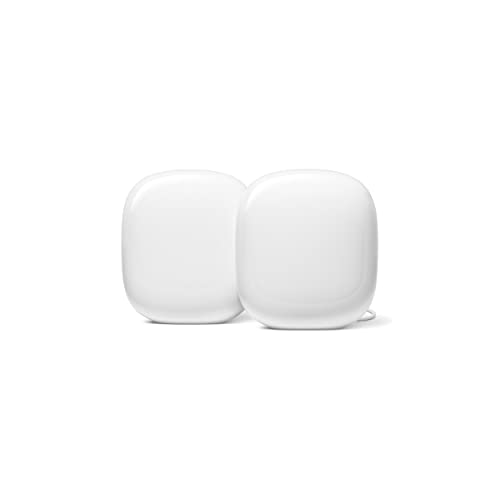
Three radios, a Thread border router and the simplest app in home networking — paired with two Gigabit ports and no Wi-Fi 7. The trade is sharper than it looks.
How this page is funded: some links here are affiliate links, and Mesh & Signal earns a commission if you buy through them. It costs you nothing extra, it never changes which product we rank first, and we do not publish a price we have not verified. Full disclosure.
Buy Nest Wifi Pro if your internet plan is a gigabit or less, you own Matter or Thread smart-home gear, and you want a network you will never open an app to fix. Do not buy it if you have a multi-gig plan, if you plan to wire the nodes together, or if you already own older Nest Wifi or Google Wifi units you were hoping to keep. That last one is not a preference — it is a hard limit in the hardware, and it is the single most common reason a Nest Wifi Pro purchase goes wrong.
What Google actually sells here
Nest Wifi Pro is a Wi-Fi 6E system. Google's own US specification puts it at AXE5400 — combined speeds up to 5.4 Gbps across three radios, 2x2 on each of 6 GHz, 5 GHz and 2.4 GHz — with a dual-core 64-bit ARM processor and 1 GB of RAM. Coverage is rated at up to 2,200 square feet per router, 4,400 for a two-pack and 6,600 for a three-pack. Each unit handles up to 100 connected devices, up to 300 across a three-pack network.
On the smart-home side it is more capable than most of its competition. There is a Thread border router built in, running 802.15.4 on 2.4 GHz, plus Matter support and Bluetooth Low Energy. Google also states the hardware is designed to use higher-power 6 GHz channels when AFC becomes available, which is a real forward-looking feature rather than marketing filler. Parental controls, a guest network and automatic security updates are included with no subscription.
And then there are the ports. Two Ethernet ports per router, at 1 Gbps each. That is the number that decides most of this purchase, so it is worth being blunt about why.
The Gigabit ports are the real ceiling
Two things in a mesh system use its wired ports: your internet connection, and the link between the router and its satellites. Nest Wifi Pro caps both at a gigabit.
If your plan is 500 Mbps or 940 Mbps, the first half of that does not matter at all — a Gigabit WAN port is not the bottleneck, your plan is. But the second half matters a great deal, because a wired link between nodes is the most reliable upgrade available to any mesh system. Ethernet backhaul for mesh Wi-Fi explains the mechanism: a satellite that receives wirelessly and retransmits wirelessly spends the air twice for one delivery, and a cable removes that penalty entirely. Nest Wifi Pro supports a wired backhaul, but it runs that backhaul at a gigabit — so a system whose radios can theoretically move several gigabits is funnelled through a Gigabit pipe the moment you wire it.
Every system we rank above it on wired I/O solves that with 2.5 Gbps ports on every unit. That is not an exotic feature any more; it is standard at this price. If you have any realistic cable route in the house, or you expect your plan to pass a gigabit in the next few years, this is the objection that should move you.
System
Generation
Ports per unit
Rated coverage
Band kept for nodes
Nest Wifi Pro
Wi-Fi 6E (AXE5400)
2 x 1 Gbps
2,200 sq ft per router; 6,600 sq ft three-pack
No
eero 7
Wi-Fi 7, dual-band
2 x 2.5 Gbps
2,000 sq ft per router; 6,000 sq ft three-pack
No
TP-Link Deco BE25
Wi-Fi 7, dual-band (BE5000)
2 x 2.5 Gbps
2,600 sq ft per unit; 6,600 sq ft whole-home
No
TP-Link Deco XE75 Pro
Wi-Fi 6E, tri-band
1 x 2.5 Gbps + 2 x Gigabit
About 5,500 sq ft two-pack
Yes — dedicated 6 GHz
The wiring and radio comparison that actually decides this purchase, using each manufacturer's published figures.
Scroll the table sideways to see every column.
The third radio is not a backhaul band
Nest Wifi Pro is tri-band, which people reasonably read as "one band is reserved for the nodes." It is not. The 6 GHz radio is available to your devices and to the mesh alike, so on a wireless install the satellites are competing for the same air your phone is using. That is the difference between a tri-band system and a system with a dedicated backhaul, and it is why the Deco XE75 Pro sits above Nest Wifi Pro in our coverage reasoning despite being the same Wi-Fi generation.
In a 1,500 square foot apartment with one satellite in the next room, you will not notice. In a long two-story house with a node at each end, you will — and tri-band versus dual-band mesh sets out when the distinction starts to bite.
This usually backfires
It will not mesh with your old Nest Wifi or Google Wifi
Google states this directly: Nest Wifi Pro cannot be combined with earlier Nest Wifi or Google Wifi routers or points in a single mesh network. Nest Wifi Pro forms its mesh on 6 GHz; the earlier generations use 5 GHz and have no Wi-Fi 6E hardware to fall back on. Upgrading means removing the old network, not extending it — so the older units become spares, not nodes. If your plan was "buy one Pro and add it to the two points I already own," that plan does not work.
Where it is genuinely the right answer
Two cases, and they are real ones.
The smart-home house that does not want a hub. A Thread border router and Matter support in the thing that is already plugged in means one less box, one less power brick and one less app. If you are buying sensors, locks and bulbs rather than tuning a network, that convenience is worth more than a port speed you will never reach. Mesh Wi-Fi and smart home hubs covers the compatibility side in full, and Wi-Fi for a device-heavy smart home is the hardware shortlist.
The household where somebody else has to be able to fix it. The Google Home app is the shortest path from "the Wi-Fi is broken" to "the Wi-Fi works" of anything in this category. That is not a spec, but it is the reason a lot of these systems stay installed.
What both cases have in common is a sub-gigabit plan and a house that does not need the nodes wired. Hold those two conditions and Nest Wifi Pro is a good purchase. Break either one and there is a better option at the same money.
What you give up by buying it
Honestly: a generation and a wiring tier. You give up Wi-Fi 7, which means no multi-link operation and no 320 MHz channels — and MLO is the one Wi-Fi 7 feature that helps on a congested network rather than on a speed test. Wi-Fi 6E versus Wi-Fi 7 is the full accounting of what that is worth, and the short version is: less than the marketing suggests, more than nothing.
You also give up multi-gig wiring, which we think is the heavier loss, because it affects the backhaul rather than the client link. And you give up the option of keeping older Google hardware in the network. None of those are defects. They are the shape of a product that was designed to be simple, and that has not been replaced.
Who should buy it
Buy Nest Wifi Pro if your plan is a gigabit or less, your house is under roughly 2,500 square feet per unit you intend to buy, you want Thread and Matter in the router, and nobody in the house wants to think about networking. If your plan is faster than a gigabit, buy a Wi-Fi 7 system instead. If you can wire the nodes, buy something with 2.5 Gbps ports — best mesh Wi-Fi with Ethernet ports is that list. If the house is large and unwired, you want a band held back for the nodes, which means best mesh for large homes.
The two constraints above — Gigabit Ethernet, and no mesh with earlier Nest Wifi hardware — are why most people reading this end up on the best Nest Wifi alternatives, which keeps the Thread and Matter radios and fixes the wiring.
How we picked
We do not run a test lab. Rankings here are built from the manufacturers' published specifications, measurements taken by independent outlets that do have labs, and the structural reasoning on this site about what a given house or job actually needs. Every product was checked as currently sold before it was included. Where a figure appears it is attributed and linked in Sources; where we have no basis for a claim, it is left out. Our methodology sets out exactly what we will and will not assert.
Quick picks
Ranked by our published scoring rubric (simplicity, smart home, wired i/o, longevity). Tap any row to jump to the full write-up, or go straight to the retailer from the right-hand column. How we score.
#
Product
Best for
Score
Price
1
Google Nest Wifi ProWi-Fi 6E at AXE5400 with a Thread border router and Matter built in, rated by Google to 2,200 sq ft per router and 6,600 sq ft as a three-pack. Two Ethernet ports per unit, both Gigabit.
eero 7Dual-band Wi-Fi 7 with two auto-sensing 2.5 GbE ports on every unit and eero's setup flow. It trades Nest's 6 GHz band for multi-gig wiring and multi-link operation.
TP-Link Deco BE25Dual-band Wi-Fi 7 BE5000 with two 2.5 Gbps ports per unit and a 6,600 sq ft whole-home rating — the same coverage figure as the Nest three-pack, on faster wiring.
TP-Link Deco XE75 ProTri-band Wi-Fi 6E with a dedicated 6 GHz backhaul, so the satellites do not share the air with your laptops. The thing Nest Wifi Pro's third radio does not do.
Prices as of November 13, 2026, read from each product's own Amazon listing; Amazon prices change often. Scroll the table sideways on a narrow screen. Scores are our editorial assessment from published specifications and independent testing by named outlets — not our own lab results. What we do and do not test.
The picks in full
#1 · A smart-home house that wants nothing to manage
Google Nest Wifi Pro
Google · Midrange
The simplest mesh system to live with, and a capable Thread border router — but it is Wi-Fi 6E on Gigabit ports, and it will not mesh with older Google hardware.
Key specifications
Standard
Wi-Fi 6E, AXE5400 (2x2 on 6 / 5 / 2.4 GHz)
Ports per unit
Two Ethernet, 1 Gbps each
Coverage
Up to 2,200 sq ft per router, 4,400 sq ft as a two-pack
Devices
Up to 100 per point, 200 across a two-pack
Smart home
Matter, Thread border router, Bluetooth LE
Score 7.8/10
Simplicity10.0
Smart home9.5
Wired I/O5.0
Longevity6.0
What it gets right
+Setup and day-to-day management through the Google Home app are about as simple as home networking gets
+A built-in Thread border router plus Matter support, which can replace a separate smart-home bridge
+Parental controls, guest network and automatic security updates included with no subscription
+Designed to use higher-power 6 GHz channels when AFC becomes available
What to watch for
−Gigabit Ethernet only — a wired backhaul or a multi-gig plan is capped at 1 Gbps
−Wi-Fi 6E rather than Wi-Fi 7, so no multi-link operation and no 320 MHz channels
−Cannot be combined in one mesh with older Nest Wifi or Google Wifi units
#ad Price as of November 13, 2026; Amazon prices change often. How we are funded.
Common questions
Is Google Nest Wifi Pro still worth buying?+−
On a sub-gigabit plan in a house you do not intend to wire, yes — it is the simplest mesh system to live with and the only one in its bracket with a Thread border router built in. On a multi-gig plan, or anywhere you can run Ethernet between nodes, no: its two Ethernet ports are Gigabit, and systems at the same price now ship 2.5 Gbps ports on every unit.
Does Nest Wifi Pro work with my old Google Wifi or Nest Wifi?+−
No. Google states that Nest Wifi Pro cannot be combined with earlier Nest Wifi or Google Wifi routers or points in one mesh network. Nest Wifi Pro builds its mesh on 6 GHz and the earlier generations use 5 GHz with no Wi-Fi 6E hardware, so upgrading means removing the old network rather than extending it.
How much area does Nest Wifi Pro cover?+−
Google rates it at up to 2,200 square feet per router — 4,400 for a two-pack and 6,600 for a three-pack. Treat those as ceilings measured in favorable conditions rather than as promises; how many mesh nodes you need gives a sizing method based on walls and layout, which predicts real results far better than a square-footage figure does.
Does Nest Wifi Pro need a subscription?+−
No. Parental controls, guest network access, device management and automatic security updates are included. There is no Nest Wifi Pro feature tier to buy, which is a genuine advantage over eero's model and TP-Link's.
Is Nest Wifi Pro good for a smart home?+−
It is one of the better choices for one. It carries a Thread border router running 802.15.4 on 2.4 GHz, supports Matter, and includes Bluetooth Low Energy for commissioning — so it can replace a separate smart-home bridge. Mesh Wi-Fi and smart home hubs explains what Thread and Matter actually change in practice.