How this page is funded: some links here are affiliate links, and Mesh & Signal earns a commission if you buy through them. It costs you nothing extra, it never changes which product we rank first, and we do not publish a price we have not verified. Full disclosure.
If you are buying a Nest Wifi for the smart-home side, the alternative is the eero Pro 7: tri-band Wi-Fi 7 with Thread, Matter and Zigbee radios built in and software that asks as little of you as Google's does. If you want those radios and faster wiring, the eero 7 adds two auto-sensing 2.5 GbE ports per unit. The budget pick is the eero 6+ — Wi-Fi 6, about 1,500 sq ft a node, and a backhaul lane kept for the mesh. If the smart-home hub is not why you were looking, the TP-Link Deco BE63 gives you considerably more network for the money.
What Nest Wifi Pro is genuinely good at
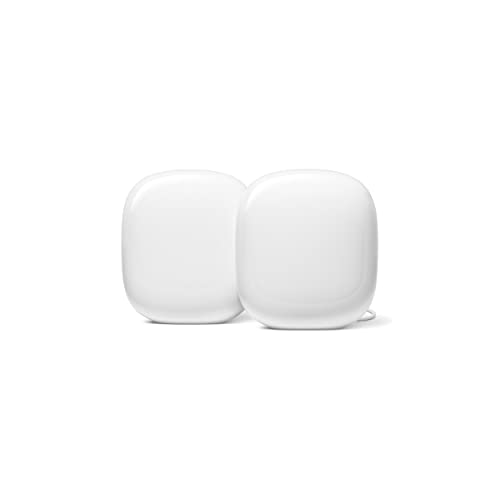
Two things, both documented by Google. It is Wi-Fi 6E at AXE5400 with 2x2 radios on each of 6, 5 and 2.4 GHz, rated to about 2,200 sq ft per router and 6,600 sq ft as a three-pack with up to 100 devices per point. And it is a Thread border router with Matter built in, which means it can commission and route for Matter and Thread devices without a separate bridge — the Connectivity Standards Alliance's own description of Matter is that it runs on the Wi-Fi and Thread network layers and works natively across Alexa, Siri and Google Assistant.
The constraint is also Google's own published figure: two Ethernet ports per router, supporting 1 Gbps. On a plan faster than a gigabit, or in a house where you want a wired backhaul with headroom, that is the ceiling — and it is the single most common reason to shop alternatives.
Worth knowing
Nest Wifi Pro will not mesh with older Nest Wifi
Google states this directly: Nest Wifi Pro cannot be combined in one mesh network with earlier Nest Wifi or Google Wifi routers and points, because it forms its mesh on 6 GHz while the earlier generations use 5 GHz. If you were planning to expand an existing Google network, that is not a path — which makes a clean switch to another brand less costly than it first looks.
What we matched on
System
Smart-home radios
Fastest Ethernet
Bands
Google Nest Wifi Pro (the benchmark)
Thread border router, Matter built in
Two ports at 1 Gbps per router
Tri-band Wi-Fi 6E, AXE5400
eero Pro 7
Thread, Matter, Zigbee
Multi-gig
Tri-band Wi-Fi 7
eero 7
Thread, Zigbee, Bluetooth LE; Matter as controller
2 x 2.5 GbE per unit
Dual-band Wi-Fi 7
TP-Link Deco BE63
None
2.5 Gbps
Tri-band Wi-Fi 7
eero 6+
Alexa integration
Gigabit
Dual-band Wi-Fi 6 plus a backhaul lane
Manufacturer-published specifications; see Sources.
Scroll the table sideways to see every column.
One honest distinction in that table: eero 7 carries Thread and Zigbee radios but acts as a Matter controller rather than a full border router in the way Google describes Nest Wifi Pro. If your smart home is built on Matter over Thread specifically, that difference is worth checking against your own devices — and the eero Pro 7 is the safer pick of the two. Mesh Wi-Fi and smart-home hubs covers how these radios interact.
Which alternative for which reason
Smart home is the reason you were buying it: eero Pro 7.
Smart home plus a plan faster than a gigabit: eero 7.
You do not need the hub radios: Deco BE63.
Alexa household, modest plan, small home: eero 6+.
We do not run a test lab. Rankings here are built from the manufacturers' published specifications, measurements taken by independent outlets that do have labs, and the structural reasoning on this site about what a given house or job actually needs. Every product was checked as currently sold before it was included. Where a figure appears it is attributed and linked in Sources; where we have no basis for a claim, it is left out. Our methodology sets out exactly what we will and will not assert.
Quick picks
Ranked by our published scoring rubric (smart-home radios, ports, backhaul headroom, value). Tap any row to jump to the full write-up, or go straight to the retailer from the right-hand column. How we score.
#
Product
Best for
Score
Price
1
eero Pro 7Tri-band Wi-Fi 7 with Thread, Matter and Zigbee radios built in, and software that is as undemanding as Google's. The closest match for the reason people buy a Nest Wifi.
eero 7Thread, Zigbee and Bluetooth LE with Matter as a controller, plus two auto-sensing 2.5 GbE ports per unit — which is the one thing Google's Gigabit ports cannot do.
TP-Link Deco BE63Tri-band Wi-Fi 7, 200+ devices and up to about 7,600 sq ft as a three-pack. No smart-home hub radios, and far more network for the money if you do not need them.
Amazon eero 6+Wi-Fi 6, about 1,500 sq ft per node, deep Alexa integration and a dedicated 5 GHz lane kept for the nodes. The budget pick for a smart-home household on a modest plan.
Prices as of November 13, 2026, read from each product's own Amazon listing; Amazon prices change often. Scroll the table sideways on a narrow screen. Scores are our editorial assessment from published specifications and independent testing by named outlets — not our own lab results. What we do and do not test.
The picks in full
#1 · Keeping the smart-home hub
eero Pro 7
eero · Premium
The default tri-band Wi-Fi 7 mesh for most houses: two 5 GbE ports on every unit, a genuinely painless app, and Thread and Zigbee radios built in.
Key specifications
Standard
Wi-Fi 7, tri-band (2.4 / 5 / 6 GHz)
Ports per unit
Two auto-sensing 5 GbE
Wireless speed
Up to 3.9 Gbps; plans up to 5 Gbps
Coverage
About 2,000 sq ft per unit
Devices
200+
Smart home
Thread and Zigbee; Matter as a controller
Score 8.8/10
Smart-home radios10.0
Ports8.0
Backhaul headroom9.0
Value7.5
What it gets right
+Both ports are 5 GbE, which is faster per port than the 2.5 Gbps most rivals ship — one in, one out is all a wired backhaul needs
+The 6 GHz band gives the nodes a fast, uncongested lane to talk to each other on
+Setup and node placement guidance in the app are the least frustrating of any system in this category
+Thread and Zigbee radios are built in, which can replace a separate smart-home bridge
What to watch for
−Only two ports per unit, so a node feeding several wired devices needs a switch behind it
−Some network controls people expect are behind eero's optional subscription
−Tri-band, not quad-band — a very large house on a multi-gig plan may prefer more radio capacity
−Amazon account linkage is part of the experience whether you want it or not
#ad Price as of November 13, 2026; Amazon prices change often. How we are funded.
Common questions
What is the best alternative to Google Nest Wifi?+−
The eero Pro 7. It keeps the main reason people buy a Nest Wifi — built-in Thread, Matter and Zigbee radios, so smart-home devices do not need a separate bridge — on tri-band Wi-Fi 7 with multi-gig wiring instead of Google's published Gigabit ports. The eero 7 is the cheaper version with 2.5 GbE ports, and the TP-Link Deco BE63 is the pick if you do not need the hub radios at all.
Why would I replace a Nest Wifi Pro?+−
Usually the Ethernet. Google publishes two ports per router at 1 Gbps, which caps a wired backhaul and wastes a plan faster than a gigabit. The second reason is expansion: Google states that Nest Wifi Pro cannot mesh with earlier Nest Wifi or Google Wifi hardware, because it forms its mesh on 6 GHz, so growing an older Google network is not an option.
Which mesh systems have Matter and Thread built in?+−
In this registry, the eero range. The eero Pro 7 and eero Max 7 carry Thread, Matter and Zigbee radios, and the eero 7 carries Thread, Zigbee and Bluetooth LE while acting as a Matter controller. Nest Wifi Pro is a Thread border router with Matter built in. TP-Link Deco and ASUS ZenWiFi systems do not include smart-home hub radios, so those households keep a separate bridge.
Is Nest Wifi Pro still worth buying?+−
For a Google-centric smart home in a house on a gigabit-or-slower plan, it is a reasonable buy — 2,200 sq ft per router and 6,600 as a three-pack on Google's figures, with the Thread and Matter work already done. The cases against it are a faster internet plan, a wired backhaul you want headroom on, or an existing older Google network you hoped to extend.