Running the tunnel on the router covers the TV, the console and the smart plugs. The catch is encryption throughput, and most routers are much slower at it than their Wi-Fi suggests.
How this page is funded: some links here are affiliate links, and Mesh & Signal earns a commission if you buy through them. It costs you nothing extra, it never changes which product we rank first, and we do not publish a price we have not verified. Full disclosure.
Buy the GL.iNet Flint 3. It has WireGuard and OpenVPN built in, GL.iNet publishes up to roughly 680 Mbps of VPN throughput on WireGuard and OpenVPN-DCO, it supports more than 30 commercial VPN providers out of the box, and it carries five 2.5 Gbps ports with AdGuard Home preinstalled. The budget pick is the TP-Link Archer AX55, with the caveat stated up front: it will carry a tunnel for browsing, not for a gigabit plan. If you want VPN on a mesh system rather than a single router, read mesh systems with VPN support instead.
Why put the VPN on the router at all
A VPN app on your laptop protects your laptop. A VPN on the router protects everything that goes through it, including the devices that have no app and never will: the TV, the console, the streaming stick, the smart plugs. It also means one subscription seat covers the whole house rather than one device at a time, and it means a guest's phone is covered without installing anything on it.
The trade is throughput and control. Every byte has to be encrypted by the router's own processor, which is far slower at it than your laptop is, and once the tunnel is on the router you cannot easily exempt the one service that blocks VPN traffic. Both problems have answers in the picks below — raw throughput in the Flint 3, selective routing in ASUS's VPN Fusion — and both are the reason this category is not simply "buy the fastest router".
What we ranked on
VPN throughput. Published encrypted throughput, not Wi-Fi speed. This is the number that decides whether the tunnel is usable on your plan, and the gap between models is enormous.
Provider support. Whether commercial VPN providers are configurable through the interface or require hand-built config files, and whether WireGuard is supported as a client rather than only a server.
Ports. Multi-gig matters more here than usual, because an encrypted link that can exceed a gigabit is wasted behind a Gigabit WAN port.
Value. Cost against a tunnel you will actually leave switched on.
Encrypted throughput is the whole ranking
Router
VPN protocols
Published VPN throughput
Per-device routing
GL.iNet Flint 3
WireGuard, OpenVPN, Tor; 30+ providers
Up to ~680 Mbps on WireGuard and OpenVPN-DCO
Yes
ASUS RT-BE86U
WireGuard, OpenVPN, IPSec client and server
Not published per model
Yes, VPN Fusion
ASUS RT-BE96U
WireGuard, OpenVPN, IPSec client and server
Not published per model
Yes, VPN Fusion
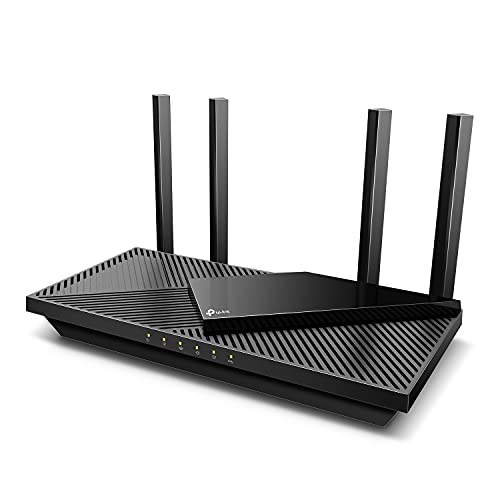
TP-Link Archer AX55
OpenVPN and PPTP server
Not published
No
Published manufacturer figures and capabilities; see Sources. VPN throughput is a vendor figure, not our measurement.
Scroll the table sideways to see every column.
Two of those rows say "not published", and that is deliberate rather than lazy. ASUS does not publish a per-model encrypted-throughput figure, and we are not going to invent one or quote a number from a different model. What we can say from the vendors' own documentation is that the Flint 3 is the only router here with a stated VPN throughput figure in the hundreds of megabits, and that WireGuard is dramatically less expensive to process than OpenVPN on any of them — so if a provider offers both, use WireGuard.
Try this first
Use VPN Fusion or a policy route, not an all-or-nothing tunnel
The common failure of a router VPN is that something important breaks: banking sites that block VPN exit nodes, streaming services that geoblock, a work connection that objects. ASUS's VPN Fusion solves this by routing chosen devices through the tunnel and leaving the rest direct, and GL.iNet's firmware has equivalent per-device rules. Set that up on day one. A whole-house tunnel with no exceptions is the configuration people abandon after a week.
What to buy
Want the tunnel always on, at speed: the Flint 3.
Already in the ASUS ecosystem, or want AiMesh later: the RT-BE86U.
Large house and you like configuring things: the RT-BE96U.
Occasional tunnel on a modest plan: the Archer AX55.
You want mesh coverage as well: start from our mesh with VPN page.
How we picked
We do not run a test lab. Rankings here are built from the manufacturers' published specifications, measurements taken by independent outlets that do have labs, and the structural reasoning on this site about what a given house or job actually needs. Every product was checked as currently sold before it was included. Where a figure appears it is attributed and linked in Sources; where we have no basis for a claim, it is left out. Our methodology sets out exactly what we will and will not assert.
Quick picks
Ranked by our published scoring rubric (vpn throughput, provider support, ports, value). Tap any row to jump to the full write-up, or go straight to the retailer from the right-hand column. How we score.
#
Product
Best for
Score
Price
1
GL.iNet Flint 3 (GL-BE9300)WireGuard and OpenVPN built in with GL.iNet's published figure of up to about 680 Mbps on WireGuard and OpenVPN-DCO, support for 30-plus providers out of the box, five 2.5G ports and AdGuard Home preinstalled.
ASUS RT-BE86UASUS's mainstream Wi-Fi 7 router, with VPN client and server support and VPN Fusion for routing individual devices through a tunnel while the rest of the house goes direct. AiMesh-capable later.
ASUS RT-BE96UThe premium standalone ASUS: the full firmware feature set with nothing paywalled, including the same VPN Fusion per-device routing, on more capable hardware.
TP-Link Archer AX55AX3000 Wi-Fi 6 with TP-Link's VPN server support. The budget pick, and an honest one: expect a tunnel that works for browsing rather than one that keeps up with a gigabit plan.
Prices as of November 13, 2026, read from each product's own Amazon listing; Amazon prices change often. Scroll the table sideways on a narrow screen. Scores are our editorial assessment from published specifications and independent testing by named outlets — not our own lab results. What we do and do not test.
The picks in full
#1 · The VPN router to buy
GL.iNet Flint 3 (GL-BE9300)
GL.iNet · Midrange
The VPN router to buy: WireGuard and OpenVPN built in with usable throughput, five 2.5G ports, and support for dozens of VPN providers out of the box.
Key specifications
Standard
Wi-Fi 7, tri-band (includes 6 GHz)
Ports
5x 2.5 Gbps (1 WAN + 4 LAN), 10 Gbps LAN aggregation
VPN
WireGuard, OpenVPN and Tor; 30+ providers supported
VPN throughput
Up to about 680 Mbps on WireGuard and OpenVPN-DCO
Extras
AdGuard Home preinstalled
Score 9.4/10
VPN throughput9.5
Provider support10.0
Ports9.5
Value9.0
What it gets right
+Around 680 Mbps through the tunnel is the number that matters — most routers with a VPN client collapse to double digits and make the feature unusable
+Five 2.5 Gbps ports at this price is unusual, and it means the wired side is not the bottleneck
+AdGuard Home preinstalled handles network-wide ad and tracker blocking without another box
+Supports 30-plus commercial VPN providers rather than requiring manual config files
What to watch for
−A single router, not a mesh system — coverage is a one-box problem here
−The interface assumes more networking vocabulary than eero or Deco
−Wi-Fi performance is good but not the reason to buy it; this is a router bought for its software
#ad Price as of November 13, 2026; Amazon prices change often. How we are funded.
Common questions
What is the best VPN router?+−
The GL.iNet Flint 3. It has WireGuard and OpenVPN built in, GL.iNet publishes up to roughly 680 Mbps of throughput on WireGuard and OpenVPN-DCO, more than 30 commercial providers are configurable out of the box, and it carries five 2.5 Gbps ports. ASUS's RT-BE86U is the mainstream alternative, mainly for VPN Fusion's per-device routing.
Will a VPN on my router slow down my internet?+−
Yes, and the size of the slowdown depends on the router's processor rather than your plan. Encryption happens on the router, and most consumer routers manage far less encrypted throughput than their Wi-Fi numbers suggest. WireGuard is much cheaper to process than OpenVPN, so choose it where your provider offers it, and check the vendor's published VPN figure before assuming a gigabit plan will survive the tunnel.
Can I put a VPN on any router?+−
No. The router needs a VPN client, not just a VPN server — the distinction catches a lot of people out. A VPN server lets you dial into your home network from outside; a VPN client routes your household's traffic out through a provider. Many mainstream routers ship only the server. GL.iNet and ASUS both ship a client, which is why they dominate this page.
Should I run the VPN on the router or on each device?+−
On the router if the point is to cover devices that cannot run a VPN app — a TV, a console, a streaming stick, smart-home hardware — or to cover guests without installing anything. On each device if you need to switch the tunnel on and off, or pick different exit countries per device. The best arrangement for most households is a router that can do both, with per-device rules deciding who goes through the tunnel.