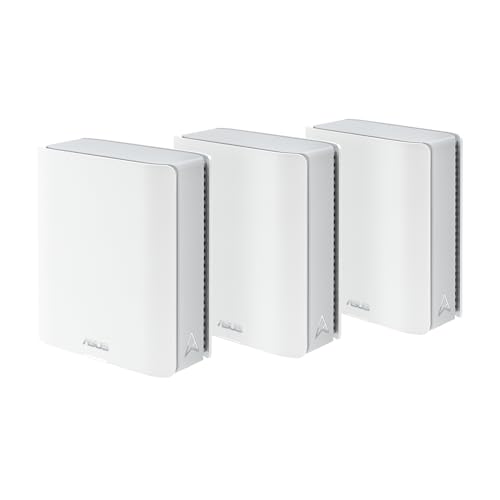
ASUS's entry mesh has better wired ports than the tri-band model above it and one fewer radio. That is a stranger trade-off than it sounds, and for a lot of houses it is the right one.
How this page is funded: some links here are affiliate links, and Mesh & Signal earns a commission if you buy through them. It costs you nothing extra, it never changes which product we rank first, and we do not publish a price we have not verified. Full disclosure.
Buy the ZenWiFi BD4 if you want ASUS's no-subscription feature set, a lot of covered floor for the money, and the option of a real 2.5 Gbps wired backhaul later. Do not buy it if your plan is faster than a gigabit and your nodes will be wireless, because a dual-band satellite will hand back roughly half of it. The oddity worth knowing before you compare it with anything else: the BD4 has better Ethernet than the tri-band ZenWiFi above it.
What ASUS actually sells here
The BD4 is a dual-band Wi-Fi 7 system. ASUS publishes up to 2,882 Mbps on 5 GHz and up to 688 Mbps on 2.4 GHz, for the 3.6 Gbps figure on the box. Both radios are 2x2, there are four internal antennas per unit, and the widest channel it supports is 160 MHz. Inside there is a 1.5 GHz quad-core processor, 512 MB of RAM and 128 MB of flash. Multi-Link Operation works across the 2.4 and 5 GHz bands.
Each unit carries two 2.5G Ethernet ports, both auto-detecting, so whichever one you plug the modem or ONT into becomes the WAN. ASUS states the pair can carry up to 2.5 Gbps of wired backhaul between nodes. Coverage is rated at up to 6,500 square feet and five-plus rooms as a three-pack, and up to 4,900 square feet and four-plus rooms as a two-pack; the US one-pack listing claims 2,450 square feet. Operating modes are wireless router, AiMesh node and access point.
The software is the part that does not get cut. AiProtection Pro with two-way intrusion prevention, full parental controls with scheduling and web filters, Instant Guard, a VPN client and server covering WireGuard, OpenVPN, L2TP, PPTP and IPSec, and VPN Fusion for per-device routing — all of it is included. ASUS's own page says these features are available "all without subscriptions". At this price that is unusual enough to be the main reason to buy it; mesh systems with no subscription ranks the whole field on it.
What the missing third radio actually costs you
Two radios means the nodes and your devices share the 5 GHz band. Every byte a wireless satellite relays crosses that band twice — once from your laptop to the node, once from the node to the router — so anything connected to a satellite loses roughly half its throughput under load.
Whether that matters is a question about your internet plan, not about the hardware. On a 300 or 500 Mbps plan, halving a link that was already faster than the plan still clears the plan, and you will not notice. On a gigabit plan in a busy house you will. How mesh backhaul works walks through the arithmetic and tri-band vs dual-band mesh is the decision in full. There is also a second cost: 6 GHz is the band a Wi-Fi 7 phone or laptop needs to hit Wi-Fi 7 speeds, and there is no 6 GHz radio here at all. If you bought a device for that band, this is not the system for it — is Wi-Fi 7 worth it sets out what the generation does and does not buy you.
Try this first
One cable removes the whole objection
The dual-band penalty exists only on satellites that relay over the air. Run Ethernet to a node — or put a MoCA pair on a coax outlet — and that node gets the full connection, the 5 GHz band goes back to your devices, and the BD4 behaves like a much more expensive system. Its two 2.5 Gbps ports exist for exactly this. Ethernet backhaul for mesh covers how, and the best MoCA adapters is the route for a house with coax but no Ethernet.
The ports are the reason to pick this over the BT6
This is the comparison most people buying a cheap ZenWiFi are actually making, and it does not go the way the model numbers suggest.
BD4 (dual-band)
BT6 (tri-band)
Bands
2.4 / 5 GHz
2.4 / 5 / 6 GHz
Published speed
3.6 Gbps
9.4 Gbps (BE9400)
Widest channel
160 MHz
320 MHz on 6 GHz
Ports per unit
Two 2.5G, auto-sensing
One 2.5G WAN, three 1G LAN
Wired backhaul ceiling
2.5 Gbps
1 Gbps
RAM
512 MB
1 GB
Rated coverage, 3-pack
6,500 sq ft
No ASUS figure published
The two cheapest ZenWiFi systems, per unit, from ASUS's own specifications.
Scroll the table sideways to see every column.
So the decision is clean. If your house has Ethernet in the walls, coax you can use, or a short run you are willing to make, the BD4 is the better buy — a 2.5 Gbps wired backhaul beats a third radio every time, and the BT6 cannot give you one. If the nodes will be wireless and your plan is quick, the BT6's 6 GHz radio is worth the Gigabit ports. The full write-up is in our ZenWiFi BT6 assessment.
Against the Deco BE25, which is the real competition
On paper the BD4 and the TP-Link Deco BE25 are nearly the same product: dual-band Wi-Fi 7, two 2.5 Gbps auto-sensing ports per unit, a three-pack rating in the mid-6,000s of square feet. Two things separate them.
ZenWiFi BD4
Deco BE25
Speed class
3.6 Gbps (2,882 + 688)
BE5000 (4,324 + 688)
Widest channel
160 MHz
240 MHz
Ports per unit
Two 2.5G auto-sensing
Two 2.5G auto-sensing
Rated coverage, 3-pack
6,500 sq ft
6,600 sq ft
Device rating
Not published
150 devices
Security and parental controls
Included, no subscription
Basics free, better tier paid
BD4 against the Deco BE25, from each manufacturer's published specification.
Scroll the table sideways to see every column.
TP-Link wins the specification: a wider channel, a faster 5 GHz radio and a published device rating the BD4 does not have. ASUS wins the ownership cost, because HomeShield's useful half — real-time IoT protection, malicious-site blocking, intrusion prevention and the professional content filtering most people mean by "parental controls" — is a subscription, and on the BD4 the equivalents are not. Our assessment of the TP-Link is in the Deco BE25 review, and mesh with the best parental controls is the version of this argument for households where that is the whole purchase.
Coverage and the figures ASUS does not publish
6,500 square feet as a three-pack is a large number for the money, and there is no reason to doubt it was measured honestly — in open conditions, which your house does not have. We would plan on a three-pack doing a real 2,500 to 3,500 square foot house with ordinary interior walls, and noticeably less through plaster and lath, brick or foil-backed insulation. How many mesh nodes you actually need is our sizing method, and mesh for concrete and brick walls is the page for solid construction.
Two omissions are worth naming. ASUS publishes no concurrent-device rating for the BD4, so a house with thirty cameras and smart plugs is buying on faith — though how many devices a router can handle explains why airtime runs out before any association limit does. And 512 MB of RAM is half what the tri-band ZenWiFi models carry, which is the kind of specification that shows up years later as sluggishness under a heavy device count rather than as a number you can test on day one.
This usually backfires
Do not buy this to replace a working tri-band mesh
The BD4 is a good first mesh and a good upgrade from one ageing router. It is not an upgrade from a tri-band system that already covers the house, even an older Wi-Fi 6E one — you would be trading a third radio for a newer badge. If your current mesh reaches everywhere and the complaint is speed rather than dead zones, internet fast but Wi-Fi slow will tell you in a few minutes whether new hardware is even the fix.
Who should buy it
A 2,000-3,000 sq ft house on a sub-gigabit plan. Three nodes, two multi-gig ports each, nothing to subscribe to. This is the case it is built for.
Anyone who can wire one node. The 2.5 Gbps backhaul is what makes this system punch above its price.
Households that want parental controls without a bill. ASUS includes the full set; most of its competitors do not.
People replacing a rented ISP gateway. It drops in behind any modem or ONT — replacing your ISP's router has the per-provider steps.
Who should not
Anyone who bought a device for 6 GHz. There is no 6 GHz radio, and no 240 or 320 MHz channel either.
Gigabit-and-faster plans with wireless-only backhaul. You will give back half the plan on the satellites. Wire a node, or go tri-band.
Anyone who wants the simplest possible app. ASUS's depth is the point, and it is also the cost — eero and Google ask less of you.
For how the BD4 sits against the rest of the range — and the one model above it where ASUS ships Gigabit LAN ports — see the best ASUS ZenWiFi system.
How we picked
We do not run a test lab. Rankings here are built from the manufacturers' published specifications, measurements taken by independent outlets that do have labs, and the structural reasoning on this site about what a given house or job actually needs. Every product was checked as currently sold before it was included. Where a figure appears it is attributed and linked in Sources; where we have no basis for a claim, it is left out. Our methodology sets out exactly what we will and will not assert.
Quick picks
Ranked by our published scoring rubric (coverage per dollar, wired i/o, software, longevity). Tap any row to jump to the full write-up, or go straight to the retailer from the right-hand column. How we score.
#
Product
Best for
Score
Price
1
ASUS ZenWiFi BD4 (3-pack)Dual-band Wi-Fi 7 at 2,882 and 688 Mbps, two auto-sensing 2.5 Gbps ports on every unit, 6,500 sq ft as a three-pack, and ASUS's whole feature set with nothing behind a paywall.
Subscription-free features at the bottom of the market
TP-Link Deco BE25Also dual-band Wi-Fi 7 with two 2.5 Gbps auto-sensing ports per unit and a 6,600 sq ft three-pack rating, at 240 MHz channel width. HomeShield's better features are the paid tier.
ASUS ZenWiFi BT6 (3-pack)Tri-band BE9400 with a 6 GHz radio, which is what a wireless-backhaul house actually wants — but its LAN ports drop to Gigabit, so the wired option goes away.
TP-Link Deco BE23The cheapest dual-band Wi-Fi 7 Deco. Worth it only when the price gap is genuinely large, because it gives up the multi-gig ports that make the BD4 and BE25 last.
Prices as of November 13, 2026, read from each product's own Amazon listing; Amazon prices change often. Scroll the table sideways on a narrow screen. Scores are our editorial assessment from published specifications and independent testing by named outlets — not our own lab results. What we do and do not test.
The picks in full
#1 · Subscription-free features at the bottom of the market
ASUS ZenWiFi BD4 (3-pack)
ASUS · Budget tier
ASUS's entry mesh: two 2.5 Gbps ports on every unit and the whole no-subscription feature set, on two radios instead of three.
Key specifications
Standard
Wi-Fi 7, dual-band 3.6 Gbps (688 / 2,882 Mbps)
Radios
2x2 on 2.4 and 5 GHz, 4 internal antennas, 160 MHz channels
Ports per unit
Two 2.5G, each auto-sensing WAN or LAN
Coverage
Up to 6,500 sq ft as a three-pack, 4,900 sq ft as a two-pack
Software
AiProtection Pro, parental controls and VPN with no subscription
Score 8.8/10
Coverage per dollar9.5
Wired I/O8.5
Software9.5
Longevity7.0
What it gets right
+Two auto-sensing 2.5 Gbps ports per unit, which is more wired headroom than most systems at this price and makes a 2.5 Gbps wired backhaul possible
+The same subscription-free security, parental controls and WireGuard/OpenVPN set as the expensive ZenWiFi models
+A 1.5 GHz quad-core processor, which is unusually capable for an entry mesh
+Rated to more floor area as a three-pack than several tri-band systems costing twice as much
What to watch for
−Dual-band, so a wireless satellite relays your traffic over the same 5 GHz band your devices use
−160 MHz is the widest channel it supports — no 240 or 320 MHz, so Wi-Fi 7 headline speeds are out of reach
−512 MB of RAM against 1 GB on the tri-band ZenWiFi models
−ASUS publishes no device-count rating for it, so a very busy house is buying on faith
#ad Price as of November 13, 2026; Amazon prices change often. How we are funded.
Common questions
Is the ASUS ZenWiFi BD4 worth buying?+−
Yes, if your internet plan is a gigabit or less and you want security and parental controls that are not a subscription. ASUS rates the three-pack at up to 6,500 square feet and puts two auto-sensing 2.5 Gbps ports on every unit, which is more wired headroom than most systems at this price. The compromise is that it is dual-band, so a wireless satellite relays traffic over the same 5 GHz band your devices use.
Is the ZenWiFi BD4 dual-band or tri-band?+−
Dual-band. ASUS publishes two radios only — up to 2,882 Mbps on 5 GHz and up to 688 Mbps on 2.4 GHz, 2x2 on each, for the 3.6 Gbps total on the box. There is no 6 GHz band, so neither your devices nor the mesh backhaul can use one. The cheapest tri-band ZenWiFi is the BT6.
How much area does the ZenWiFi BD4 cover?+−
ASUS rates the three-pack at up to 6,500 square feet and five-plus rooms, and the two-pack at up to 4,900 square feet and four-plus rooms; the US one-pack listing claims 2,450 square feet. Read those as ranking figures rather than promises — published coverage is measured in open conditions, so we would plan on a three-pack handling a real 2,500 to 3,500 square foot house with ordinary interior walls.
ZenWiFi BD4 or BT6 — which is better?+−
It depends on one thing: whether the nodes will be wired. The BD4 has two auto-sensing 2.5 Gbps ports per unit, so a wired backhaul runs at 2.5 Gbps; the tri-band BT6 has Gigabit LAN ports, so a wired backhaul on it runs at 1 Gbps and is frequently slower than its own wireless hop. Wire one node and the BD4 is the better system. Leave everything wireless on a fast plan and the BT6's 6 GHz radio wins.
Does the ZenWiFi BD4 need a subscription for parental controls?+−
No. ASUS's own product page says the security and parental-control features are available "all without subscriptions", and that covers AiProtection Pro, the web and app filters, time scheduling and safe browsing, as well as the WireGuard and OpenVPN client and server. The NordVPN and Surfshark integrations ASUS advertises are separate paid services from those companies.
Does the ZenWiFi BD4 support Wi-Fi 7's 320 MHz channels?+−
No. ASUS lists 20, 40, 80 and 160 MHz channel widths for the BD4 — 160 MHz is its ceiling. The wider 240 and 320 MHz channels need a 6 GHz radio, which this system does not have. It does support Multi-Link Operation across its 2.4 and 5 GHz bands, plus 4096-QAM and MU-MIMO, so it is a real Wi-Fi 7 device; it just cannot reach the generation's headline speeds.