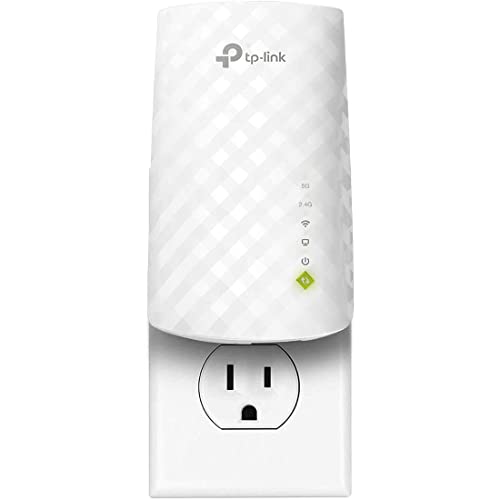
This is the cheapest useful purchase in home networking, and the only category where trying the budget option first is the smart move rather than the lazy one.
How this page is funded: some links here are affiliate links, and Mesh & Signal earns a commission if you buy through them. It costs you nothing extra, it never changes which product we rank first, and we do not publish a price we have not verified. Full disclosure.
Under $50 the extender to buy is the TP-Link RE550. It is the only unit at this ceiling with a Gigabit Ethernet port, and it supports EasyMesh so it can keep one network name instead of creating a second — AC1900, rated by TP-Link to 2,200 sq ft. The budget pick is the TP-Link RE220: AC750, also with an Ethernet port, cheap enough that buying one is a faster way to test a theory about your house than measuring anything. If your router is a rented ISP gateway you cannot configure, the Netgear EX5000 is the safest pick — it is sold explicitly as working with any router.
The price cap, checkedAs of November 28, 2026, 4 of the 4 extenders below with a readable listing price were under $50: TP-Link RE550 at $34.88, Netgear EX5000 at $22.99, TP-Link RE315 at $19.99, TP-Link RE220 at $12.79. Amazon prices move daily and a cap is a bracket, not a guarantee — the Quick picks table re-reads every number from the listing, so trust the button over the headline on any given day.
What a $50 cap actually rules out
Less than you would think, and this is the one price band on the site where that is true. At this ceiling you lose the current Wi-Fi generation — every pick here is Wi-Fi 5, so there is no WPA3 and no OFDMA for a crowded device count — and you lose the AX3000 class units that the $100 band is built around.
What you keep is the part that decides whether an extender works at all: a wired port on three of the four, and mesh-style roaming on three of the four. Those two features are what separate a useful extender from a frustrating one, and neither of them is a premium feature any more.
So the honest framing at this cap is not "which is the best extender" but "which single compromise do you take", and there are three choices:
Give up nothing much, spend the whole cap. The RE550 has the Gigabit port, the highest throughput class and EasyMesh.
Give up the port, buy rated coverage. The EX5000 covers more claimed square footage than the cheap TP-Links and works behind anything.
Give up both and spend almost nothing. The RE315 and RE220 are genuinely fine for one room of browsing and video.
Use the Ethernet port — it is the whole trick
Every wireless extender relays on the radios it also serves you with, so a device behind it gets roughly half the throughput the extender itself is receiving. There is no way around that in a plug-in unit at any price. Do extenders slow down your internet has the mechanism in full.
The way to work with it rather than against it: put the extender in the last socket that still has a strong signal — not in the dead spot — and run a short Ethernet cable from its port to whatever actually needs the connection. The wireless hop then happens in good conditions and the fragile last few feet become wire. On this page the RE550, RE315 and RE220 all have a port for exactly that; the RE550's is the only Gigabit one, which is why it leads.
The four under the cap
Extender
Class
Wired port
Vendor coverage
TP-Link RE550
Wi-Fi 5, AC1900
Gigabit Ethernet
Up to 2,200 sq ft, 32 devices
Netgear EX5000
Wi-Fi 5, AC1200
None
Up to 1,500 sq ft, 25 devices
TP-Link RE315
Wi-Fi 5, AC1200
Ethernet
About 1,600 sq ft, 32 devices
TP-Link RE220
Wi-Fi 5, AC750
Ethernet
Up to 1,200 sq ft, 32 devices
Manufacturer-published specifications as they appear on each product's own verified listing; see Sources. Coverage and device figures are the vendor's own claims.
Scroll the table sideways to see every column.
Try this first
At this price, buying one is cheaper than diagnosing
Everywhere else on this site we say measure before you buy. This band is the exception, because the cheapest unit here costs less than an hour of anyone's time: if you suspect one room needs help, buying the RE220 and trying it in two or three sockets tells you more than any app will. If it fixes the room, you are done. If it does not, the room-by-room speed test will tell you why, and you have lost very little.
When to spend more than $50 instead
Three cases where the cap is the wrong constraint:
More than one room is bad. An extender improves one area. A house with two or three weak rooms has a coverage problem, which is what mesh is for — mesh versus an extender sets out where the line sits.
There is coax or a shared mains circuit in the room. A wired link beats any wireless extender at any price — MoCA over coax or powerline over mains are both worth checking first.
The place you are trying to reach is outside. No plug-in extender covers a yard or a detached garage, because it has to live in an indoor socket behind an exterior wall. An outdoor access point is the category that does, and the cheapest one is not far above this cap.
What to buy
Best at the cap: TP-Link RE550.
Rented ISP gateway: Netgear EX5000.
One room, light use: TP-Link RE315.
Testing a theory: TP-Link RE220.
Could stretch to $100: read extenders under $100 first — that is where Wi-Fi 6 starts.
How we picked
We do not run a test lab. Rankings here are built from the manufacturers' published specifications, measurements taken by independent outlets that do have labs, and the structural reasoning on this site about what a given house or job actually needs. Every product was checked as currently sold before it was included. Where a figure appears it is attributed and linked in Sources; where we have no basis for a claim, it is left out. Our methodology sets out exactly what we will and will not assert.
Quick picks
Ranked by our published scoring rubric (throughput class, wired port, roaming, value at the cap). Tap any row to jump to the full write-up, or go straight to the retailer from the right-hand column. How we score.
#
Product
Best for
Score
Price
1
TP-Link RE550AC1900 with a Gigabit Ethernet port and EasyMesh support, rated by TP-Link to 2,200 sq ft and 32 devices. The port is the reason it leads: it turns the weak last stretch to a TV or console into wire.
The only extender under the cap with a Gigabit port
Netgear EX5000AC1200 rated to 1,500 sq ft and 25 devices, and explicitly sold as working with any router — which matters when the router is a rented ISP gateway you cannot configure.
TP-Link RE315AC1200, about 1,600 sq ft and 32 devices on TP-Link's figures, and honestly described by TP-Link as a browsing-and-video unit rather than a gaming one. That is an accurate description of the job.
TP-Link RE220The budget pick. AC750 with an Ethernet port and OneMesh support, rated to 1,200 sq ft and 32 devices. The floor of what we will recommend, and cheaper than almost any other way of testing a theory about your house.
Prices as of November 28, 2026, read from each product's own Amazon listing; Amazon prices change often. Scroll the table sideways on a narrow screen. Scores are our editorial assessment from published specifications and independent testing by named outlets — not our own lab results. What we do and do not test.
The picks in full
#1 · The only extender under the cap with a Gigabit port
TP-Link RE550
TP-Link · Midrange
The most extender you can buy for very little: AC1900 with a Gigabit Ethernet port and EasyMesh, so it behaves like a node rather than a second network.
Key specifications
Standard
Wi-Fi 5, AC1900 dual-band
Ports
1 Gigabit Ethernet
TP-Link's stated coverage
Up to 2,200 sq ft, 32 devices
Roaming
EasyMesh
Score 9.4/10
Throughput class9.5
Wired port10.0
Roaming9.0
Value at the cap9.0
What it gets right
+A Gigabit port rather than a 10/100 one, which is the difference between a usable wired TV and a throttled one
+EasyMesh support means it can keep one network name instead of creating a second
+The highest-rated throughput class of anything at this price
What to watch for
−Wi-Fi 5, so no OFDMA and no WPA3
−Still a single-radio relay: devices behind it get roughly half the throughput it receives
#ad Price as of November 28, 2026; Amazon prices change often. How we are funded.
Common questions
What is the best Wi-Fi extender under $50?+−
The TP-Link RE550. It is the only extender at this ceiling with a Gigabit Ethernet port, it supports EasyMesh so it can keep a single network name, and TP-Link rates it to 2,200 sq ft. The Netgear EX5000 is the safer pick behind a rented ISP gateway, and the TP-Link RE220 is the cheapest unit here worth buying.
Can a cheap Wi-Fi extender actually work?+−
Yes, for the job it is suited to: one weak room with browsing, video calls and standard streaming. What a cheap extender cannot do is make a room behave like the one next to the router, because every plug-in unit relays on the same radios it serves you with and roughly halves throughput for devices behind it. Placement matters far more than price at this level.
Is it worth paying more than $50 for an extender?+−
Only for specific reasons. Above this cap you get Wi-Fi 6 — WPA3 and better handling of many devices at once — and units with more than one Ethernet port. You do not get more range, because transmit power is regulated and identical. If one room needs helping and it has a TV in it, spend more; if one room needs helping and it has a laptop in it, do not.
Where should I plug in a cheap extender?+−
Roughly halfway between the router and the weak room, in the last socket that still has a strong signal — never in the dead spot itself. An extender repeats what it receives, so a weak input is a weak output for everything behind it. If the unit has an Ethernet port, use it for the last stretch to the device that matters.